Shihuang Workshop brings on-screen display (OSD) menu design, PCB engineering operations and review collaboration into a browser workbench for display-device and electronics development. OSD and PCB projects, configurations and design versions are managed separately and can be used independently. The platform combines AI-assisted analysis with native KiCad tools to help teams organize design materials, check engineering work and hand over results.
Actual interface · Isolated demo project · 2026-10-04
05 / Product profile
AI-assisted OSD and PCB development platform
Core features
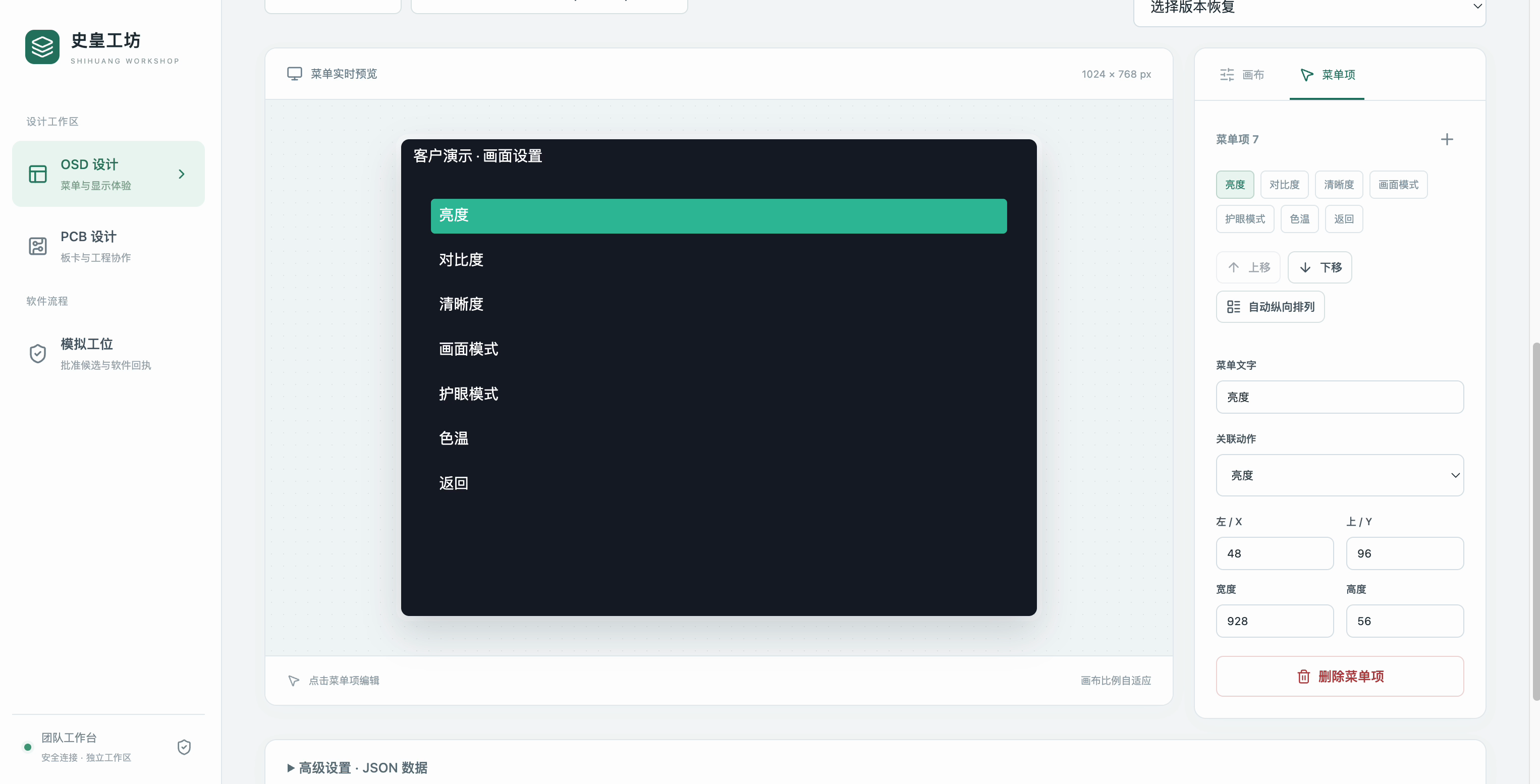
Actual interface · Isolated demo project · 2026-10-0401
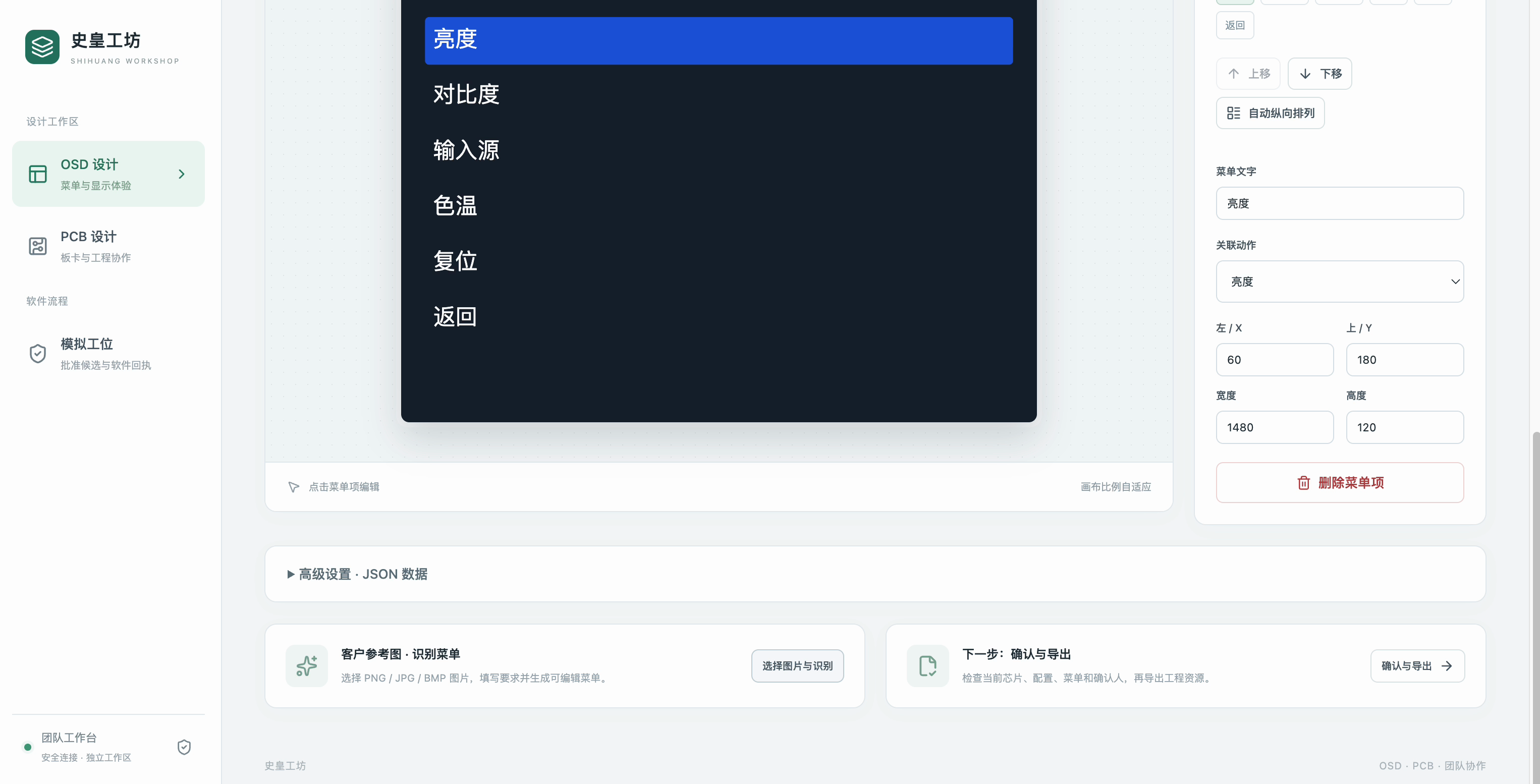
OSD menu design
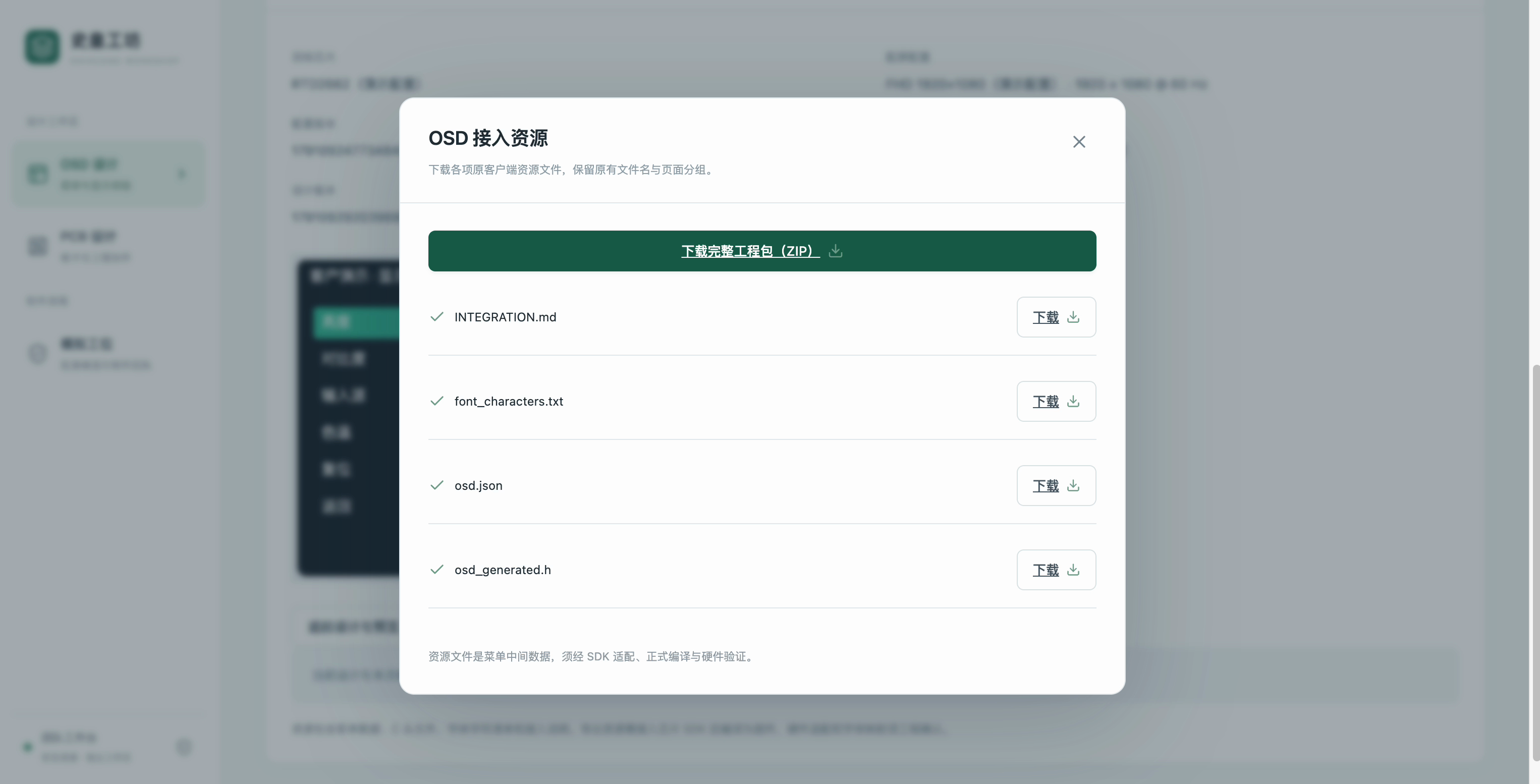
Reference templates, menu editing, live previews and button-behavior simulation. Reference images can be parsed into editable drafts; after human confirmation, menu configurations, C header files and font character lists can be exported for subsequent firmware integration.
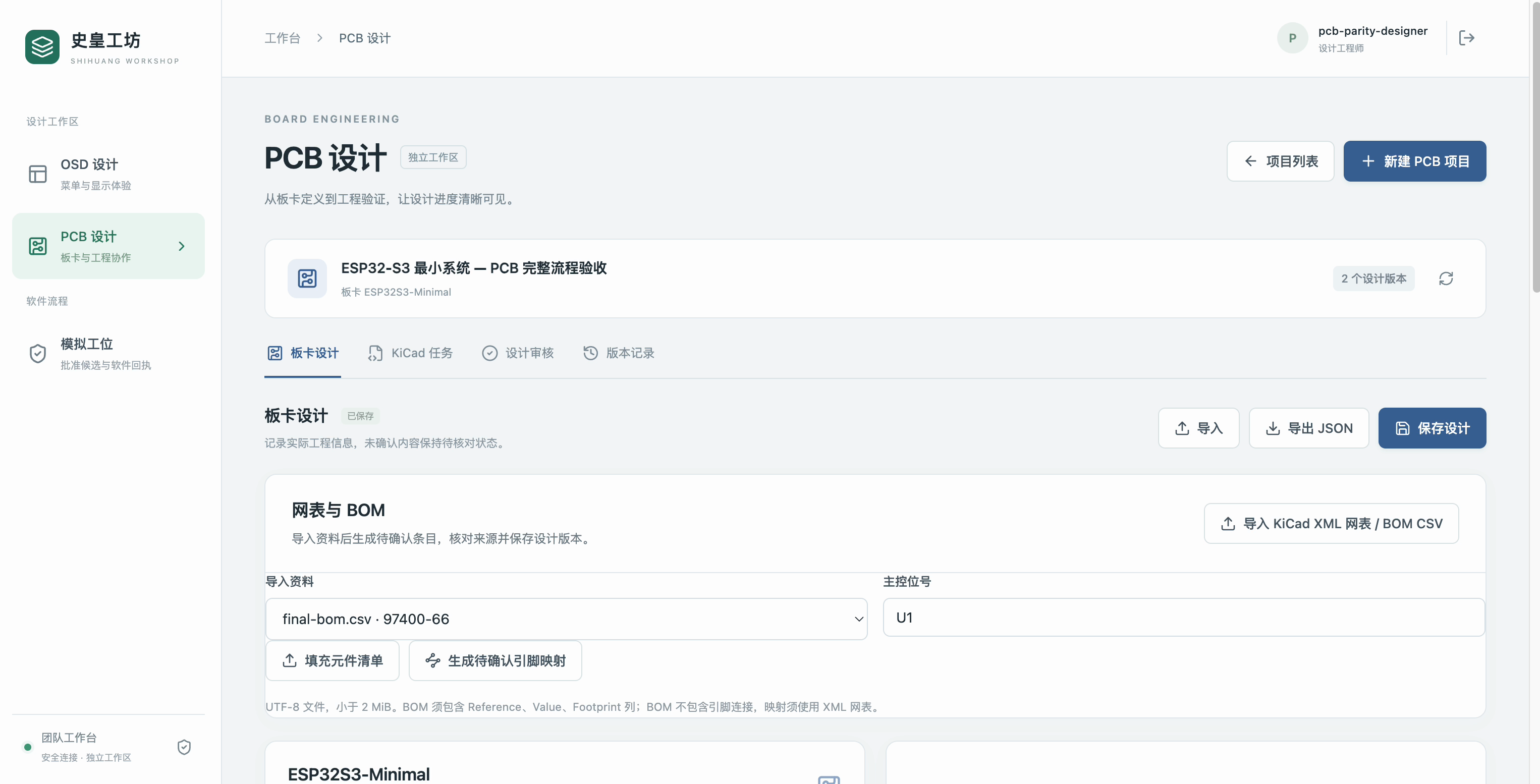
Actual interface · Isolated demo project · 2026-10-0402
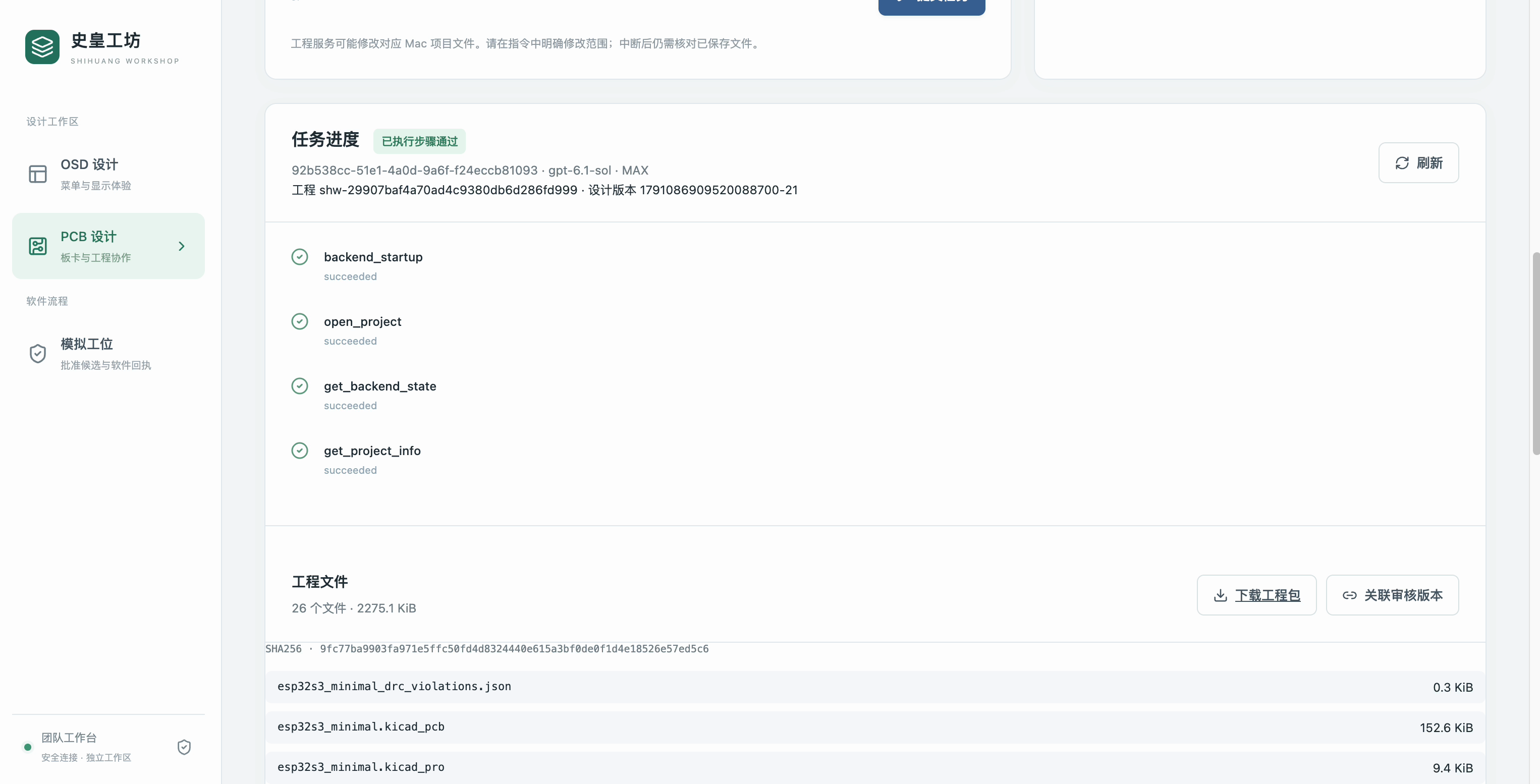
PCB engineering operations
Submit KiCad engineering tasks in natural language, including project queries, schematic and PCB editing, rule checks and exports. Import netlists and bills of materials (BOM), and check component and pin mappings.
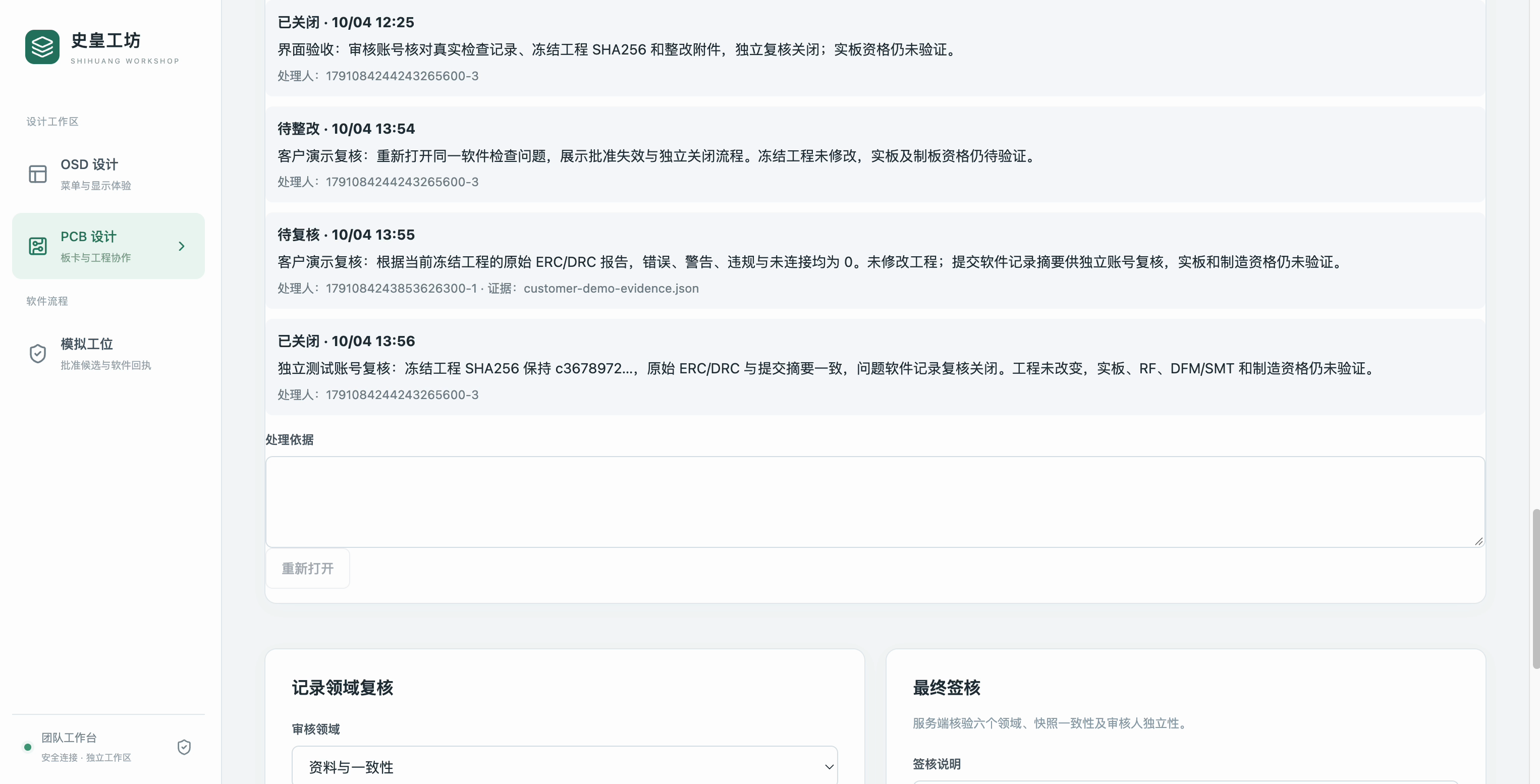
Actual interface · Isolated demo project · 2026-10-0403
Independent review and corrections
Designers save and submit versions. Independent reviewers record evidence, report issues and verify corrections. Reviews relate to the current design version and engineering files, with review reports and engineering packages available for export.
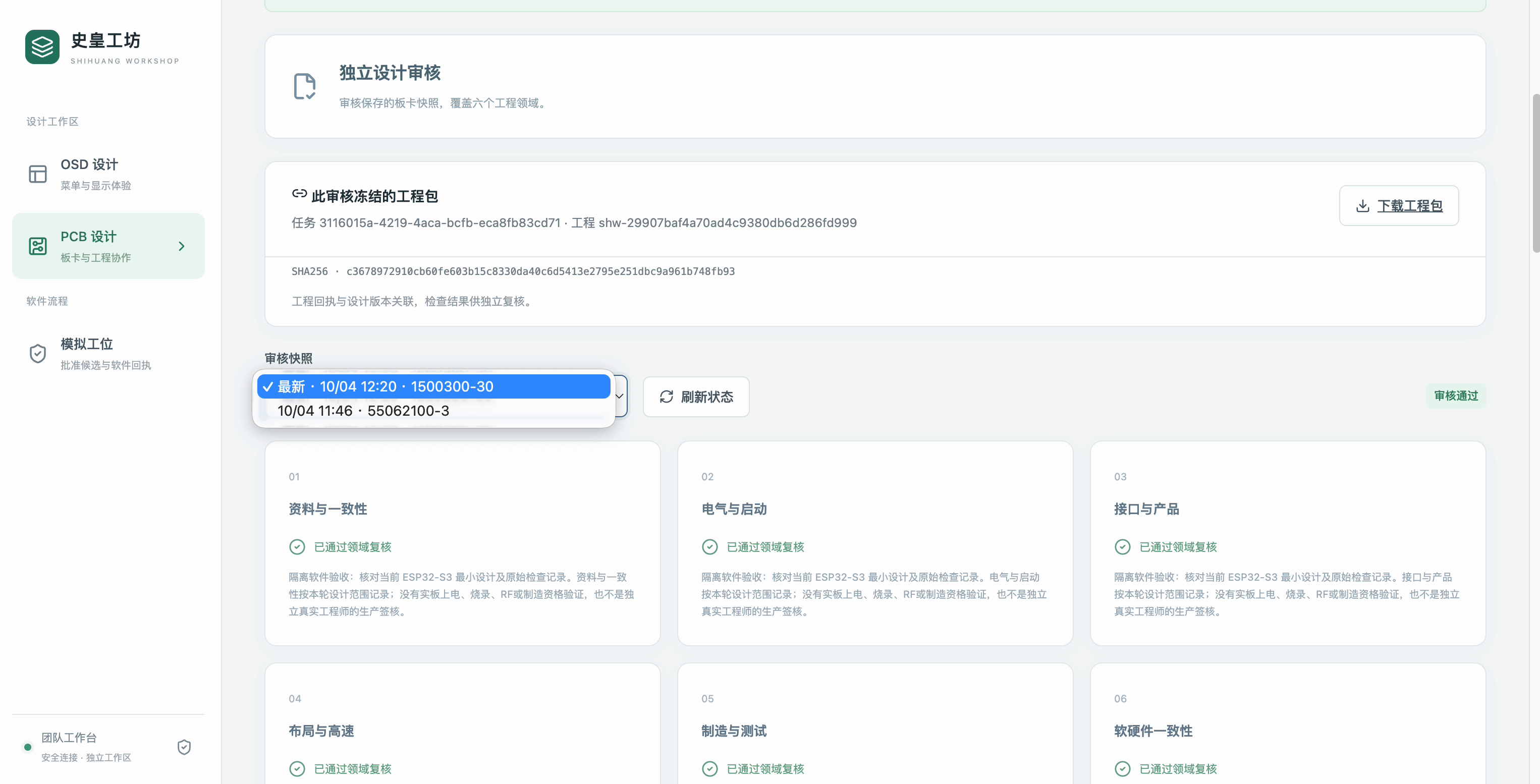
Actual interface · Isolated demo project · 2026-10-0404
Version and result traceability
Retain design history, task identifiers, execution receipts and file verification information to check results and trace versions. Team accounts, role permissions and administrator backups are provided.
Project value and applications
The platform brings design materials, engineering tasks and review records into one workbench, helping reduce tool switching and repeated organization while clarifying handovers between design, checks and review. It supports display-device menu development, PCB design assistance and internal R&D collaboration.
Engineering application notes
AI drafts require human review. OSD simulates software behavior; exported resources require vendor SDK and hardware adaptation. PCB software checks and demo sign-off do not authorize manufacturing. Physical board, RF, power and DFM/SMT validation remain necessary.
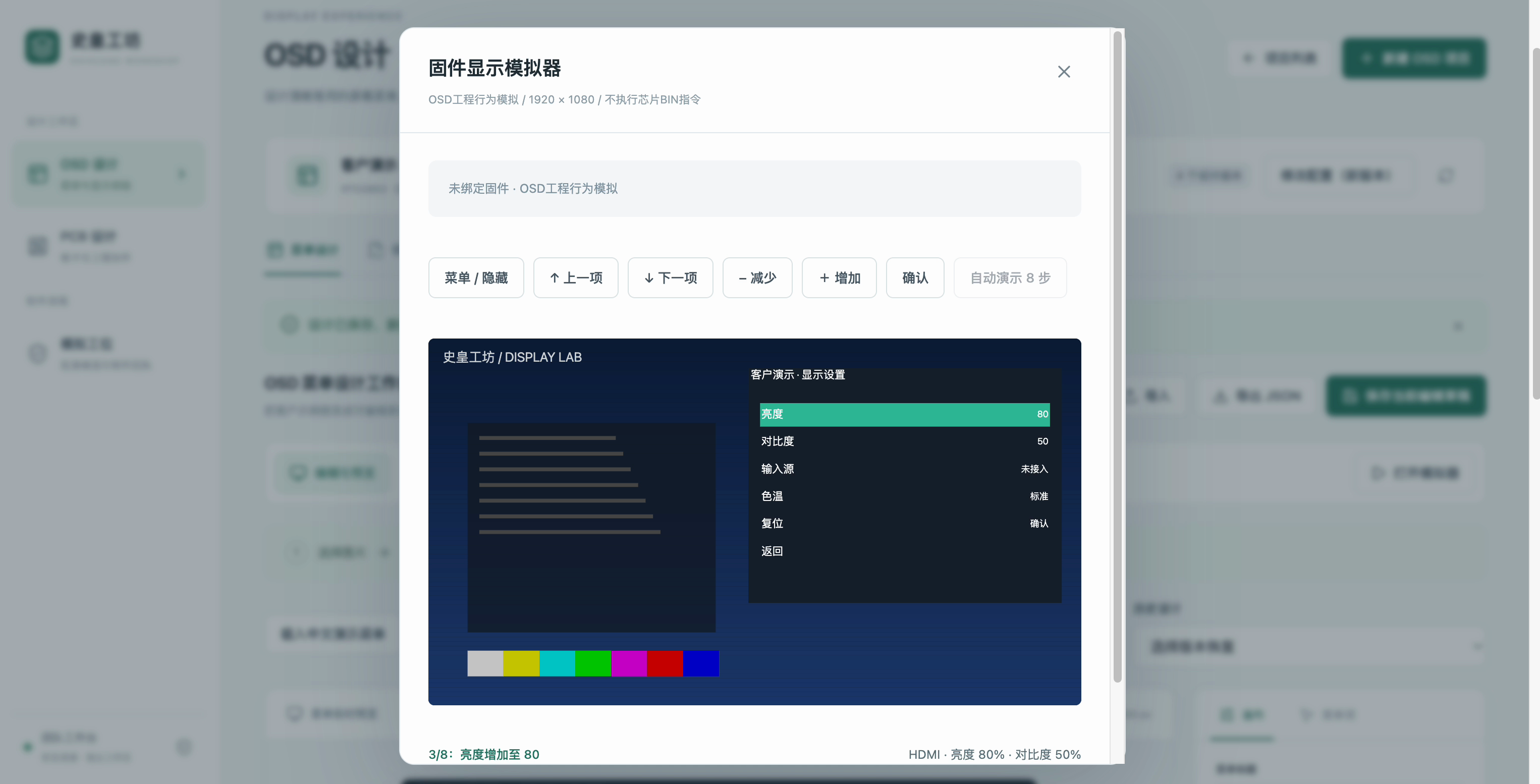
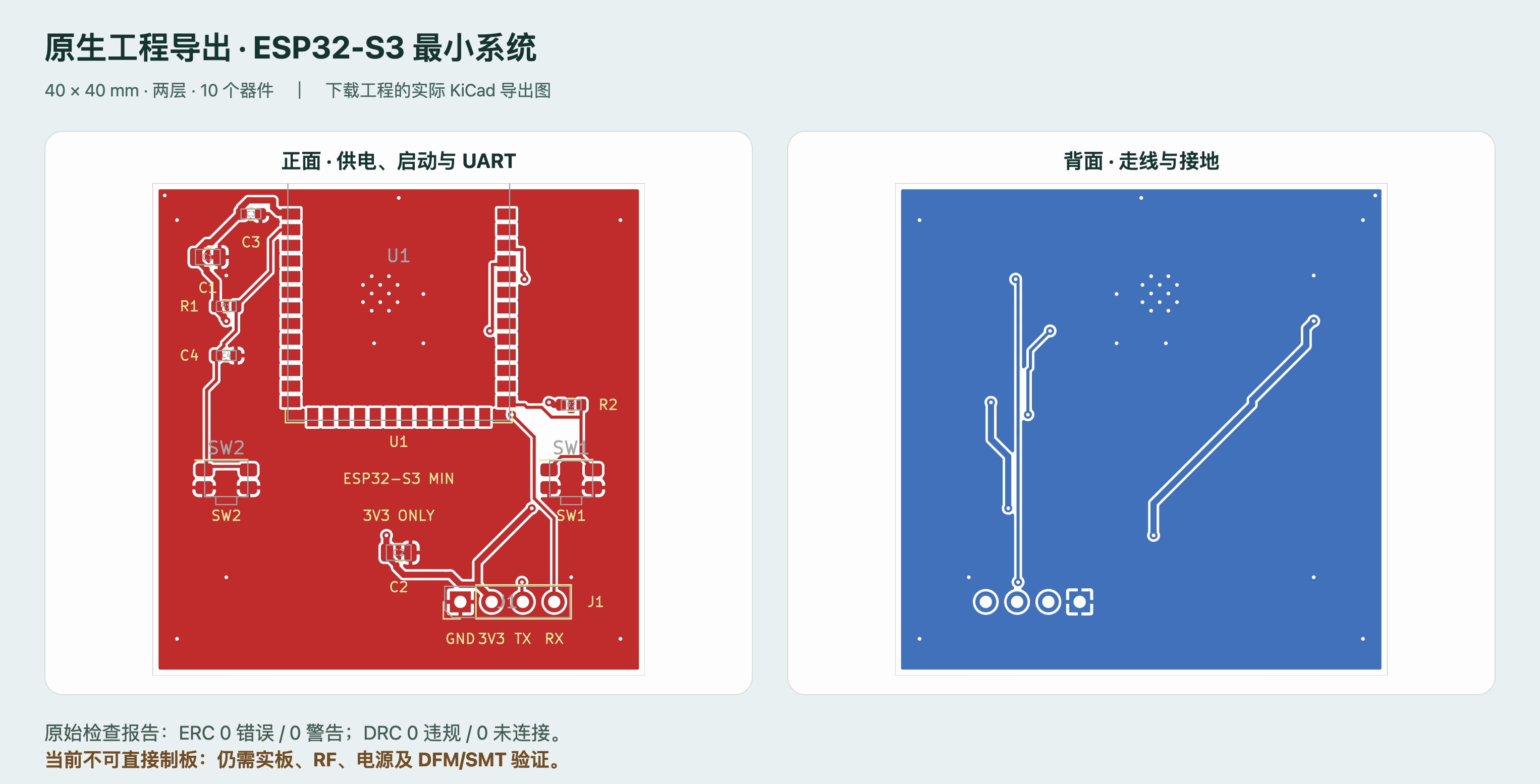
Editable draft from a reference imageParse a reference image into six editable draft menu items for engineer review.Six-button software simulationObserve menu selection, brightness changes and reset feedback using six buttons.OSD integration resource exportExport menu data, C headers, font character lists and SDK integration notes.KiCad task receipt and project archiveInspect actual tool execution steps and download the associated project archive.Front and back views exported from a KiCad projectDisplay front and back views generated from the downloaded project; this is an export presentation, not the native KiCad editor.
AI drafts require human review. OSD simulates software behavior; exported resources require vendor SDK and hardware adaptation. PCB software checks and demo sign-off do not authorize manufacturing. Physical board, RF, power and DFM/SMT validation remain necessary.
Images and demonstrations
Shihuang Workshop OSD / PCB customer demonstrationApproximately 10 minutes, with Chinese subtitles. Covers OSD editing, reference-image parsing, six-button simulation, resource export, PCB tasks, independent review and version history using isolated demo data.
The videos contain Chinese text or audio and are demonstrations. They do not establish that physical products have been validated.
Request detailed materials
Full product documents and detailed specifications can be provided by the owner after a customer appointment.
This page is a product overview. Detailed specifications, test results, and delivery scope are discussed by appointment and follow the final agreed documents.